
Protect Your Website from Cybersecurity Threats in 2026
In 2026, WordPress websites will be at risk from more advanced cybersecurity threats that use automation and AI. Website security is no longer optional because of malware, phishing, ransomware, DDoS, MITM attacks, and social engineering.
Choosing the right WordPress security plugin is the first step in protecting your WordPress site. This guide talks about the best WordPress security plugins for 2026, what they do, and how they keep your site safe.
Protect Your Site
Best WordPress Security Plugins 2026
Explore Top PluginsWordPress websites are still a top target for hackers using malware, phishing schemes, ransomware, distributed denial-of-service (DDoS) campaigns, and man-in-the-middle (MITM) interception techniques as cybersecurity threats become more advanced in 2026.
WordPress powers more than 40% of the web, so security plugins are now necessary infrastructure instead of just nice-to-have extras. This report looks at the best WordPress security plugins on the market right now and how well they protect against modern digital threats.
1. Wordfence Security
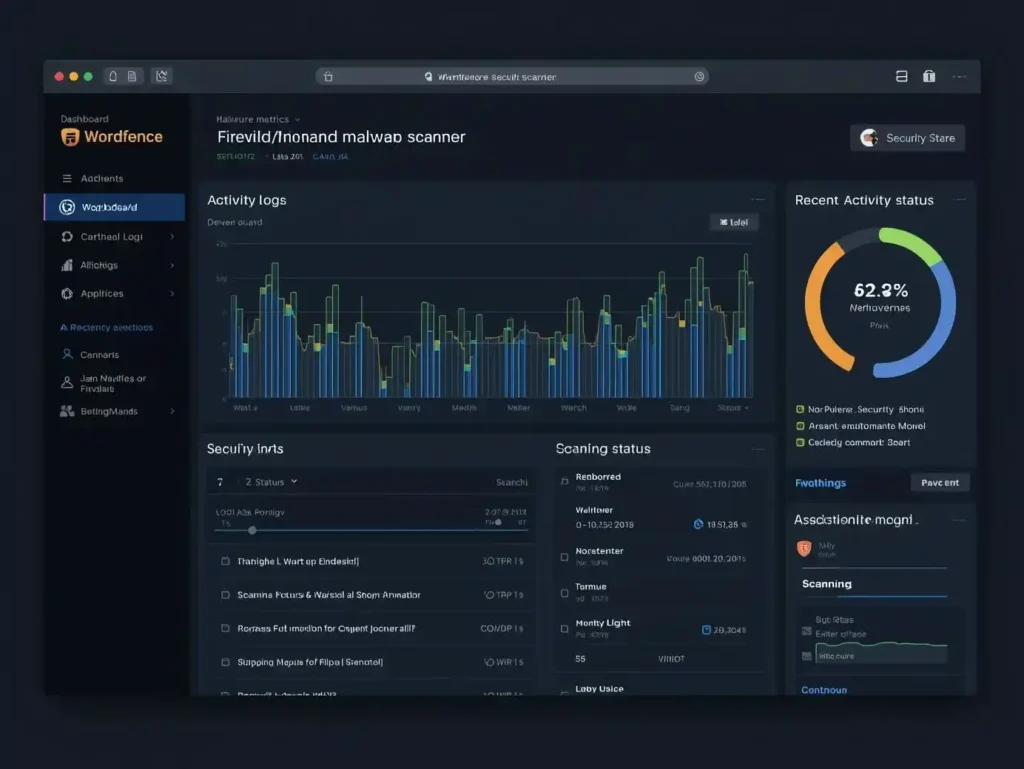
Why Wordfence Is Popular
In 2026, Wordfence Security is one of the most reliable WordPress security plugins. It has a strong firewall and scans for malware in real time.
Key Features:
- Web Application Firewall (WAF)
- Malware scanner
- Login security & 2FA
- Live traffic monitoring
- IP blocking
Protection Against:
- Malware infections
- Brute force password attacks
- Phishing scripts
- Ransomware injections
✅ Best for: Bloggers, small businesses, and high-traffic websites.
2. Sucuri Security

Cloud-Based Website Protection
With a cloud-based firewall and malware removal service, Sucuri Security offers advanced protection.
Key Features:
- Website firewall (DNS-level)
- DDoS protection
- Malware detection & cleanup
- Security activity auditing
- Blacklist monitoring
Protection Against:
- DDoS attacks (Traffic Floods)
- Malware & backdoor attacks
- MITM interception attempts
- SEO spam injections
✅ Best for: E-commerce and business websites needing strong firewall protection.
Recommended Resources & Related Articles
🔗 Related Articles
- How to Secure a WordPress Website from Hackers? Internal
- How to Protect WordPress from Malware & Ransomware Internal
- Internal
🌍 Official Security Resources
- WordPress Official Security Guide External
- Cybersecurity & Infrastructure Security Agency (CISA) External
- OWASP Security Best Practices External
3. iThemes Security (Solid Security)

Strong Login & Authentication Security
iThemes Security is mostly about stopping people from getting in without permission.
Key Features:
- Brute force protection
- Two-factor authentication (2FA)
- Password enforcement
- File change detection
- Database backups
Protection Against:
- Password spraying
- Dictionary attacks
- Social engineering login attempts
- Session hijacking (MITM-related risks)
✅ Best for: Websites needing strong login security.
4. All In One WP Security & Firewall

Beginner-Friendly Security Solution
This plugin is great for people who are just starting out and want to set it up easily.
Key Features:
- Visual security strength meter
- Firewall protection
- Login lockdown
- File integrity monitoring
Protection Against:
- Brute force attacks
- Malware file modifications
- Basic phishing scripts
- Unauthorized admin access
✅ Best for: New WordPress users.
5. MalCare Security
Automatic Malware Removal
MalCare uses deep scanning technology that doesn’t slow down your website.
Key Features:
- One-click malware removal
- Daily automatic scans
- Bot protection
- Smart firewall
Protection Against:
- Hidden malware
- Ransomware threats
- Backdoor infections
- Automated bot attacks
✅ Best for: High-performance websites.
Comparison Table (Boosts Conversions)
| Plugin | Firewall | Malware Removal | DDoS Protection | Best For |
| Wordfence | Yes | Yes | Moderate | Bloggers |
| Sucuri | Yes (Cloud) | Yes | Strong | Businesses |
| iThemes | Basic | Limited | No | Login Security |
| MalCare | Smart | One-click | Moderate | High Performance |
How These Plugins Protect Against
Cybersecurity Threats in 2026
Modern cyber threats are more advanced than ever:
| Threat Type | How Security Plugins Help |
| Malware | Scan and remove malicious files |
| Phishing | Block malicious scripts & fake redirects |
| Ransomware | Detect suspicious encryption behavior |
| DDoS | Filter malicious traffic |
| MITM | Enforce HTTPS & login security |
| Social Engineering | Enable 2FA and login monitoring |
How to Choose the Best WordPress Security Plugin
When picking a plugin, think about:
✔ Size of the website
Big websites need better firewall and DDoS protection.
✔ Money
Free versions give you basic protection, but premium versions give you full coverage.
✔ Effect on performance
Pick plugins that are light and won’t slow down your site.
✔ Integration of backups
Make sure your plugin works well with backup systems.
Best Security Practices Beyond Plugins
The best WordPress security plugin works best when you also follow good habits:
- Use strong, unique passwords
- Enable Multi-Factor Authentication (MFA)
- Keep WordPress core, themes, and plugins updated
- Use HTTPS (SSL certificate)
- Backup your website regularly (3-2-1 rule)
Final Thoughts: Website Security in 2026
It’s important to keep your WordPress site safe because cybersecurity threats will keep changing in 2026. Malware, phishing, ransomware, DDoS, MITM attacks, and social engineering are all real threats, but you can make yourself much less vulnerable by using the right security plugin.
Get the right WordPress security tool, keep it up to date, and make security a part of your daily routine.
6 thoughts on “Best WordPress Security Plugins in 2026 (Expert Picks)”