
How to install Kali Linux on Windows and Mac: Install Kali Linux on Windows or Mac using virtualization (recommended) or as a bare-metal bootable USB. For Windows, use VMware/VirtualBox. For Mac, use UTM/Parallels. Download the ISO from Kali.org and create a bootable USB using Rufus.
To install Kali Linux, download the ISO image from kali.org and use a tool like Rufus to create a bootable USB drive. Boot your computer from the USB, select “Graphical Install,” follow the prompts to configure language, network, and user account, and partition the disk (using “Guided—use entire disk” for a clean install).
Kali Linux is a highly potent operating system utilized for cybersecurity, penetration testing, and ethical hacking. Kali Linux, created by the cybersecurity company Offensive Security, has numerous integrated security solutions intended for both pros and learners.
Numerous novices aspire to commence their study of ethical hacking but are perplexed regarding the secure installation of Kali Linux on their systems.
Kali Linux can be installed on both Microsoft Windows and macOS through several means, including virtual machines, dual boot installations, or live USB systems.
This comprehensive guide will instruct you on the most secure and straightforward methods to install Kali Linux on your PC, catering to both novices in cybersecurity and professionals establishing a security testing laboratory.
What is Kali Linux?
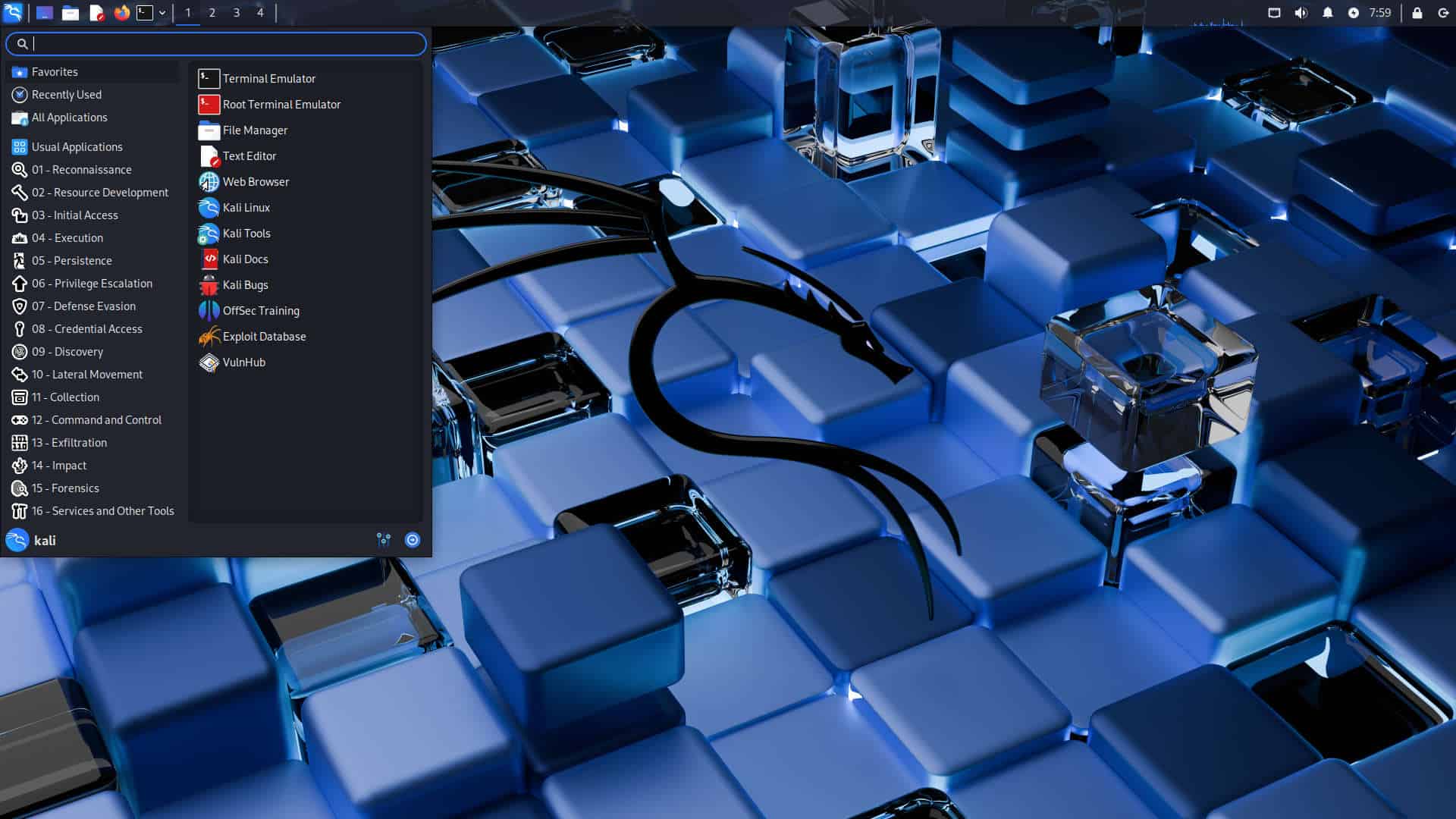
Kali Linux is an open-source, Debian-based Linux system designed for cybersecurity professionals, ethical hackers, and IT security researchers. It is pre-installed with numerous specialized tools for penetration testing, security auditing, forensic analysis, and reverse engineering.
It comprises over 600 tools for penetration testing and security auditing utilized to evaluate and safeguard computer systems.
Some common tools included in Kali Linux are:
- password cracking tools
- wireless security testing tools
- network scanning tools
- vulnerability analysis tools
- digital forensics utilities
Kali Linux is extensively utilized by ethical hackers, cybersecurity researchers, and IT professionals because to its robust features.
What is Ethical Hacking? Complete Beginner to Advanced Guide (2026)
How to Improve WordPress Website Speed (Complete Guide 2026)
WordPress SEO Optimization Guide for Beginners (2026)
System Requirements for Kali Linux Installation
A standard, functional Kali Linux installation with a graphical interface (Xfce) requires a minimum of 2 GB of RAM (4–8 GB recommended) and 20 GB of disk space. A 64-bit dual-core processor is necessary, along by a USB device or DVD for installation. For complex applications or virtual machines, a minimum of 8 GB RAM and an SSD are advisable.
In advance of installing Kali Linux, ensure that your computer satisfies the fundamental system requirements.
Minimum Requirements
- 2 GB RAM (4 GB recommended)
- 20 GB free disk space
- 64-bit processor
- USB drive (for live installation)
- virtualization support enabled in BIOS
Enhanced hardware will augment performance, particularly when executing Kali Linux within a virtual machine.
Different Ways to Install Kali Linux
There are several ways to install Kali Linux depending on your needs.
1. Virtual Machine Installation
Run Kali Linux inside another operating system using virtualization software.
To install a Virtual Machine (VM), download a hypervisor such as Oracle VirtualBox, verify that hardware virtualization (VT-x/AMD-V) is enabled in your BIOS/UEFI, and create a new VM instance configured with an operating system ISO file (e.g., Windows, Linux). Essential steps encompass assigning CPU and RAM, configuring a virtual hard disk (VDI), and commencing the installation process.
2. Dual Boot Installation
Install Kali Linux alongside Windows or macOS so you can choose which system to boot.
Dual-booting involves installing two operating systems (e.g., Windows and Linux) on a single machine, enabling the user to select which one to load at startup. Essential stages encompass data backup, generating a bootable USB (minimum 4GB), reducing current partitions to liberate space (30GB-60GB+), and employing the installer to partition the drive.
3. Live USB Installation
Run Kali Linux directly from a USB drive without installing it on your computer.
To create a Live USB, one must download an operating system ISO (either Windows or Linux), utilize a tool such as Rufus (for Windows) or BalenaEtcher to write the image onto a USB drive (minimum 8GB), and thereafter boot from it through BIOS/UEFI settings. This facilitates the testing, repairing, or installation of operating systems without modifying your hard disk.
For beginners, the installation of a virtual machine is the most secure option.
How to Install Kali Linux on Windows
The most ideal methods for installing Kali Linux on Windows are either the Windows Subsystem for Linux (WSL) for a streamlined integration, or VirtualBox for a comprehensive virtual machine experience. The most straightforward approach is obtaining Kali directly from the Microsoft Store, facilitating WSL activation, enabling rapid installation, and accommodating command-line penetration testing utilities.
The easiest way to install Kali Linux on Windows is using Oracle VM VirtualBox.
Step 1: Download Kali Linux
Visit the official website:
Kali Linux
Download the Kali Linux VirtualBox image.
Step 2: Install VirtualBox
Download and install Oracle VM VirtualBox on your Windows computer.
This software allows you to run multiple operating systems simultaneously.
Step 3: Import Kali Linux Image
Open VirtualBox and select:
File → Import Appliance
Select the downloaded Kali Linux file.
Step 4: Start Kali Linux
Once the virtual machine is created, click Start to launch Kali Linux.
Default login credentials:
Username: kali
Password: kali
You now have a working Kali Linux environment.
How to Install Kali Linux on Mac
Installing Kali Linux on a Mac is best done using virtualization software like UTM (recommended for Apple Silicon M1/M2/M3) or VirtualBox (for Intel/Silicon). Download the ARM64 (for Silicon) or ISO image, set up a new virtual machine with at least 4GB RAM/20GB disk, and follow the graphical installation steps.
Mac users can install Kali Linux using virtualization software such as VMware Fusion or UTM.
Step 1: Install Virtualization Software
Download and install:
- VMware Fusion
- UTM
- VirtualBox (Mac version)
Step 2: Download Kali Linux Image
Download the prebuilt Kali Linux image from the official Kali website.
Step 3: Create Virtual Machine
Open the virtualization software and create a new virtual machine.
Assign:
- 4 GB RAM
- 2 CPU cores
- 20–40 GB storage
Step 4: Start Kali Linux
Launch the virtual machine, and Kali Linux will boot successfully.
How to Install Kali Linux Using VirtualBox (Recommended)
To accelerate the installation of Kali Linux in VirtualBox, it is advisable to obtain the pre-configured VirtualBox image from kali.org. This entails downloading the image, extracting the data (utilizing 7-Zip if necessary), importing the .vbox file into VirtualBox, and initiating the virtual machine with the default credentials: username kali and password kali.
VirtualBox is the most beginner-friendly installation method.
Benefits include:
- safe installation
- easy setup
- no risk to main operating system
- simple deletion if needed
It is widely recommended for cybersecurity students and beginners.
Important Kali Linux Tools You Should Know
Kali Linux is a specialized operating system designed for penetration testing, ethical hacking, and digital forensics, coming pre-installed with over 600 security tools. The following are essential Kali Linux tools categorized by their primary use in cybersecurity workflows.
Kali Linux includes hundreds of cybersecurity tools.
Popular tools include:
Network Security
- Nmap
- Wireshark
Password Testing
- John the Ripper
- Hydra
Web Security
- Burp Suite
- SQLmap
These tools are used for security testing and vulnerability assessment.
Safety Tips When Using Kali Linux
Kali Linux is a powerful system and should be used responsibly.
Follow these guidelines:
- Use Kali Linux only for educational purposes
- Never hack systems without permission
- Practice in a controlled lab environment
- Follow cybersecurity laws and ethical guidelines
Responsible use helps maintain ethical standards in cybersecurity.
🔍 Frequently Asked Questions
Final Thoughts
Kali Linux is an exceptionally powerful tool for acquiring knowledge in cybersecurity and ethical hacking. Installing Kali Linux on Windows or Mac via virtual machines enables novices to safely investigate penetration testing tools without impacting their primary operating system.
Through diligent practice and responsible utilization, Kali Linux can serve as an exceptional platform for acquiring knowledge in cybersecurity, network security assessment, and ethical hacking methodologies.
Regardless of whether you are a student, IT professional, or security researcher, acquiring proficiency in Kali Linux is a crucial advancement in establishing a career in cybersecurity.
3 thoughts on “How to Install Kali Linux on Windows and Mac (Complete Beginner Guide 2026)”