
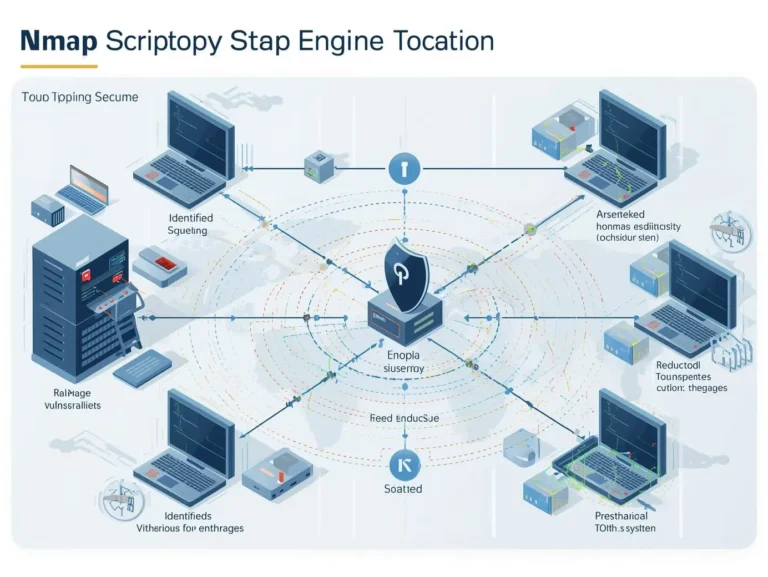
Network security has emerged as a key domain in contemporary technology. Organizations, enterprises, and people depend on secure networks to safeguard confidential information. Nmap (Network Mapper) is one of the most potent instruments employed by cybersecurity experts and ethical hackers.
Nmap is renowned for its capability to scan networks, identify devices, detect open ports, ascertain operating systems, and uncover vulnerabilities. Regardless of whether you are a novice in cybersecurity or a seasoned penetration tester, proficiency with Nmap commands can greatly enhance your network investigation and security auditing capabilities.
This detailed guide will provide you with essential information regarding Nmap, encompassing installation, introductory commands, advanced scanning methodologies, and an exhaustive Nmap cheat sheet featuring over 100 instructions.
<!doctype html>
| PORT | STATE | SERVICE | VERSION |
|---|---|---|---|
| 22/tcp | open | ssh | OpenSSH 9.2p1 |
| 53/tcp | open | domain | dnsmasq 2.90 |
| 80/tcp | open | http | nginx 1.24.0 |
| 443/tcp | open | ssl/http | nginx 1.24.0 |
| 3306/tcp | open | mysql | MySQL 8.0.36 |
| 5432/tcp | filtered | postgresql | — |
| 8080/tcp | open | http-proxy | Tomcat 10.1 |
| 9090/tcp | open | prometheus | v2.45.0 |
── nmap port scanner demo • responsive ──
What is Nmap?
Nmap, a shorthand for Network Mapper, is an open-source tool utilized for network scanning, discovery, and security assessment.
It was initially developed by Gordon Lyon (Fyodor) and has emerged as one of the most widely utilized tools in cybersecurity.
Nmap operates by dispatching carefully prepared packets to target devices and evaluating the answers to determine information such as:
- Active hosts on a network
- Open ports
- Running services
- Operating systems
- Firewall configurations
- Network vulnerabilities
Because of its powerful capabilities, Nmap is used by:
- Cybersecurity professionals
- Ethical hackers
- Network administrators
- IT security researchers
- Penetration testers
Why Nmap is Important for Network Security
Nmap is essential for cybersecurity and network administration.
Here are several explanations for Nmap's widespread utilization.
Network Discovery
Nmap can identify all devices connected to a network. This helps administrators maintain accurate network inventories.
Port Scanning
It detects open ports on servers and devices, helping identify potential attack points.
Service Detection
Nmap can determine which services are running on specific ports, such as web servers, SSH services, or databases.
Operating System Detection
The tool can identify whether a target device is running Linux, Windows, or another operating system.
Vulnerability Detection
Using the Nmap scripting engine, security professionals can identify vulnerabilities and security misconfigurations.
Installing Nmap
Before using Nmap commands, you need to install the tool on your system.
Installing Nmap on Linux
Most Linux distributions include Nmap in their package repositories.
Ubuntu or Debian users can install it using:
sudo apt install nmap
For Fedora:
sudo dnf install nmap
For Arch Linux:
sudo pacman -S nmap
Installing Nmap on Windows
Windows users can download the installer from the official Nmap website. The Windows version also includes Zenmap, a graphical interface for Nmap.
Installing Nmap on macOS
Mac users can install Nmap using Homebrew:
brew install nmap
After installation, you can confirm the installation by running:
nmap --version
Understanding How Nmap Works
Nmap works by sending packets to target hosts and analyzing the responses.
The scanning process generally involves three main steps:
- Host Discovery – Determines whether a host is active on the network
- Port Scanning – Identifies open ports on the target system
- Service Detection – Identifies applications running on those ports
Different scanning techniques allow Nmap to bypass firewalls, detect operating systems, and perform stealth scans.
Basic Nmap Commands for Beginners
If you are new to Nmap, start with these basic commands.
Scan a Single Target
nmap 192.168.1.1
This command scans the target IP address and shows open ports.
Scan a Domain Name
nmap example.com
Nmap will resolve the domain to an IP address and scan it.
Scan Multiple Targets
nmap 192.168.1.1 192.168.1.2
This allows scanning of multiple hosts simultaneously.
Scan an Entire Network
nmap 192.168.1.0/24
This scans every device in the network range.
Enable Verbose Output
nmap -v 192.168.1.1
Verbose mode provides more detailed scanning information.
Nmap Port Scanning Techniques
Port scanning is one of the most powerful features of Nmap.
Scan Specific Ports
nmap -p 80 192.168.1.1
This scans only port 80.
Scan Multiple Ports
nmap -p 22,80,443 192.168.1.1
Scan a Range of Ports
nmap -p 1-1000 192.168.1.1
Scan All Ports
nmap -p- 192.168.1.1
This scans all 65,535 ports.
Fast Scan
nmap -F 192.168.1.1
This scans the most common ports quickly.
Host Discovery Commands
Host discovery allows you to find active devices in a network.
Ping Scan
nmap -sn 192.168.1.0/24
This command lists active hosts without scanning ports.
TCP SYN Ping
nmap -PS 192.168.1.1
UDP Ping
nmap -PU 192.168.1.1
ARP Ping Scan
nmap -PR 192.168.1.0/24
This is very effective on local networks.
Nmap Scan Types
Nmap offers multiple scanning techniques used by penetration testers.
TCP Connect Scan
nmap -sT target
This is the default scan for non-root users.
SYN Scan (Stealth Scan)
nmap -sS target
This scan is faster and harder to detect.
UDP Scan
nmap -sU target
Used to scan UDP services such as DNS and SNMP.
ACK Scan
nmap -sA target
Used to map firewall rules.
FIN Scan
nmap -sF target
Used to bypass some firewalls.
Service and Version Detection
Nmap can identify software versions running on ports.
nmap -sV target
Example output may show:
- Apache web server version
- OpenSSH version
- MySQL database version
This information is useful for vulnerability assessments.
Operating System Detection
Nmap can determine the operating system of a target device.
nmap -O target
Example results may show:
- Linux kernel version
- Windows Server edition
- Router firmware
This feature helps penetration testers plan attacks or security assessments.
Aggressive Scanning
Aggressive scanning combines several powerful scanning features.
nmap -A target
This performs:
- OS detection
- Version detection
- Script scanning
- Traceroute
It is useful for detailed security assessments.
Nmap Script Engine (NSE)
The Nmap Script Engine allows users to run scripts to detect vulnerabilities.
Example command:
nmap --script vuln target
This scans the target for known vulnerabilities.
Other script categories include:
- authentication scripts
- brute-force scripts
- malware detection scripts
- discovery scripts
Example:
nmap --script http-title target
This retrieves webpage titles from web servers.
Firewall Evasion Techniques
Advanced users can use Nmap to bypass firewalls.
Fragment Packets
nmap -f target
This breaks packets into smaller fragments.
Decoy Scan
nmap -D RND:10 target
This hides your IP address among random decoys.
Spoof Source IP
nmap -S 192.168.1.100 target
This uses a spoofed IP address.
Saving Nmap Scan Results
Saving scan results is important for documentation and reporting.
Save Normal Output
nmap -oN results.txt target
Save XML Output
nmap -oX results.xml target
Save All Formats
nmap -oA scan_results target
This creates multiple output files.
Nmap Timing Options
Timing options control the speed of scans.
nmap -T0 target
Very slow scan.
nmap -T3 target
Default timing.
nmap -T4 target
Faster scan.
nmap -T5 target
Very aggressive scan.
Higher speeds increase detection risk.
100+ Nmap Commands Cheat Sheet
Here are some of the most commonly used Nmap commands.
Basic Scans
nmap target
nmap -v target
nmap -vv target
nmap -Pn target
nmap -sn target
nmap -sL target
Port Scanning
nmap -p 80 target
nmap -p 22,80,443 target
nmap -p- target
nmap -F target
nmap --top-ports 100 target
Scan Types
nmap -sS target
nmap -sT target
nmap -sU target
nmap -sA target
nmap -sW target
Version Detection
nmap -sV target
nmap --version-all target
nmap --version-light target
OS Detection
nmap -O target
nmap -A target
NSE Scripts
nmap --script vuln target
nmap --script http-* target
nmap --script ftp-* target
nmap --script smb-* target
Output Options
nmap -oN scan.txt target
nmap -oX scan.xml target
nmap -oA results target
Real World Use Cases of Nmap
Nmap is used in many practical scenarios.
Penetration Testing
Ethical hackers use Nmap to identify vulnerabilities before attackers do.
Network Inventory
Administrators use Nmap to identify devices connected to the network.
Security Auditing
Companies scan servers to ensure no unnecessary ports are open.
Incident Response
Security teams investigate suspicious devices and network activity.
Best Practices for Using Nmap
Using Nmap responsibly is extremely important.
Always Get Permission
Scanning networks without permission may be illegal.
Avoid Aggressive Scans on Production Systems
Some scans may disrupt services.
Document Your Results
Always save scan outputs for analysis.
Use the Right Scan Type
Different scans are designed for different situations.
Nmap vs Other Network Scanning Tools
Although Nmap is powerful, there are other tools used in cybersecurity.
Examples include:
- Wireshark
- Masscan
- Netcat
- OpenVAS
However, Nmap remains one of the most versatile and widely used tools.
Learning Nmap for Cybersecurity Careers
If you want to work in cybersecurity, learning Nmap is a valuable skill.
Professionals who use Nmap include:
- Penetration testers
- Network security engineers
- Ethical hackers
- Cybersecurity analysts
Mastering Nmap can help you build strong skills in network security and vulnerability assessment.
🌐 Trusted External Resources dofollow · high authority
Nmap Command FAQ 2026
Most searched questions from Google, Reddit & pentester forums
Nmap (Network Mapper) is an open-source tool to discover devices, open ports, services, operating systems, and vulnerabilities. Used by ethical hackers, sysadmins, and pentesters worldwide. Created by Gordon Lyon (Fyodor).
Linux (Ubuntu/Debian): sudo apt install nmap
Linux (Fedora): sudo dnf install nmap
Windows: Download from nmap.org (includes Zenmap GUI)
macOS (Homebrew): brew install nmap
Verify: nmap --version
nmap 192.168.1.1 — single IP scannmap example.com — scan domainnmap -v target.com — verbose outputnmap -Pn target.com — skip host discovery
nmap -p- target.com — scans all 65,535 TCP portsnmap -F target.com — fast scan (top 100 ports)nmap --top-ports 200 target.com — top 200 ports
-sV : Service/version detection (e.g., Apache 2.4.58, OpenSSH 9.3)-O : Operating system detection (Linux 6.x, Windows 11)-A : Aggressive scan (OS + version + scripts + traceroute)
sudo nmap -sS target.com — SYN scan sends SYN packets without completing TCP handshake. Faster, less likely to be logged. Default scan for privileged users.
nmap --script vuln target.com — checks for known CVEsnmap --script http-* target.com — all HTTP scriptsnmap --script ftp-* target.com — FTP scriptsnmap --script smb-* target.com — SMB scripts
-oN results.txt — normal output-oX results.xml — XML format-oG results.gnmap — grepable format-oA prefix — all formats at once
Only with written permission. Scanning networks without authorization is illegal in many countries. Use on:
- Your own network/lab
- CTF platforms (HackTheBox, TryHackMe)
- Authorized penetration tests
-T0(Paranoid) — extremely slow, IDS evasion-T1(Sneaky) — quite slow, stealthy-T2(Polite) — slower, less bandwidth-T3(Normal) — default speed-T4(Aggressive) — fast, good network-T5(Insane) — very fast, may miss ports
nmap -sn 192.168.1.0/24 — ping sweep (no port scan)nmap -sP 192.168.1.0/24 — older syntax
Finds all active devices on the network.
Conclusion
Nmap is a highly potent and versatile tool for network discovery and security assessment. Nmap offers a comprehensive array of functionalities for cybersecurity experts, ranging from basic host detection to sophisticated vulnerability scanning.
This tutorial enables novices to explore network scanning and allows advanced users to conduct comprehensive penetration testing and security analysis with the commands and techniques presented.
To establish a career in cybersecurity, acquiring proficiency in Nmap is an excellent progression toward being a competent security specialist.
2 thoughts on “100+ Nmap Commands Cheat Sheet: Complete Guide for Beginners and Advanced Users”