

SSL Certificate Explained: An SSL certificate is a digital file that proves a website’s identity and lets a web server and a browser talk to each other in a secure way. It works as a “online ID card” for a website, keeping sensitive information like login information and payment information safe and secret. It also stops cyberattacks like man-in-the-middle attacks.
Website security is no longer a choice in today’s digital environment. Visitors may get a “Not Secure” warning if your website doesn’t employ HTTPS. This can make them lose trust right away.
This guide tells you what an SSL certificate is, how it works, and why every website needs one by 2026.
📌 What Is an SSL Certificate?
An SSL (Secure Sockets Layer) certificate is a digital credential that secures communication between a user’s browser and a website server through encryption.
When SSL is installed:
- Your website URL changes from HTTP to HTTPS.
- A 🔒 padlock appears in the browser.
- Data becomes encrypted and secure.
In simple terms:
An SSL (Secure Sockets Layer) certificate is a digital credential that secures communication between a user’s browser and a website server through encryption.
This includes:
- Login credentials
- Contact form data
- Payment information
- Personal user details
- Admin dashboard access
🧠How Does SSL Work? (Step-by-Step Explanation)
SSL operates with encryption technology. This is the procedure:
Step 1: User Accesses Your Website
A visitor enters your domain into their web browser.
Step 2: Browser Initiates Secure Connection Request
The browser requests the server to authenticate itself.
Step 3: Server Transmits SSL Certificate
The server delivers its SSL certificate to the browser.
Step 4: The Browser Validates the Certificate
The browser verifies:
- Validity of the certificate
- Reliable authority
- Expiry date
Step 5: An Encrypted Connection Is Secured
Upon verification, encrypted communication commences.
The procedure is referred to as the SSL Handshake.
Even if hackers capture the data, they are unable to decipher it due to encryption.
🔒Why SSL Certificates Are Important for Website Security
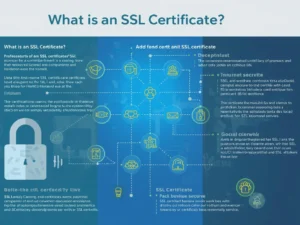
Without SSL, your website is vulnerable to:
- Man-in-the-Middle (MITM) attacks
- Data interception
- Login credential theft
- Payment fraud
- SEO ranking loss
If you are working on overall website protection, you should also read:
👉 What Is Web Hacking Prevention?
👉 How to Secure a WordPress Website from Hackers?
SSL is the first layer of defense in your cybersecurity strategy.
🚀 Advantages of Using an SSL Certificate
1️⃣ Data Encryption
SSL encrypts all data transferred between users and your server.
2️⃣ Builds Trust & Credibility
Visitors trust websites that show HTTPS and the padlock icon.
Websites without SSL display:
“Not Secure” warning in Chrome
This reduces trust instantly.
3️⃣ Improves SEO Rankings
Google officially confirmed HTTPS as a ranking signal.
Benefits include:
- Better search engine ranking
- Higher click-through rate (CTR)
- Lower bounce rate
- Increased user engagement
4️⃣ Protects Against Cyber Attacks
SSL helps prevent:
- Data sniffing
- Session hijacking
- Credential theft
- Form data interception
However, SSL alone is not enough. Combine it with:
👉 https://cyberinfolab.com/best-wordpress-security-plugins-in-2026/
5️⃣ Required for Online Payments
If you run:
- eCommerce store
- Membership website
- Online booking system
SSL is mandatory to process payments securely.
📊 Types of SSL Certificates
1️⃣ Domain Validation (DV SSL)
- Basic validation
- Fast issuance
- Suitable for blogs & small sites
2️⃣ Organization Validation (OV SSL)
- Business verification
- Higher trust level
- Ideal for company websites
3️⃣ Extended Validation (EV SSL)
- Highest validation level
- Shows business identity
- Best for banks & large eCommerce
4️⃣ Wildcard SSL
- Secures main domain + subdomains
5️⃣ Multi-Domain SSL (SAN SSL)
- Secures multiple domains
🛠 How to Install an SSL Certificate
Option 1: Free SSL (Let’s Encrypt)
Most hosting providers offer free SSL.
Steps:
- Log into hosting panel
- Navigate to SSL/TLS
- Enable Free SSL
- Force HTTPS redirect
Option 2: Cloudflare SSL
If you use Cloudflare:
- Enable SSL in the dashboard.
- Choose “Full” or “Full (Strict).”
- Enable automatic HTTPS rewrite
🔍 How to Check If SSL Is Installed Correctly
You can verify SSL using trusted tools:
Check for:
- Certificate validity
- Encryption strength
- Mixed content issues
- Expiration date
❗ Common SSL Mistakes to Avoid
- Not redirecting HTTP to HTTPS
- Expired SSL certificate
- Mixed content errors
- Not updating internal links
- Ignoring renewal reminders
🔥 Does SSL Fully Prevent Website Hacking?
No.
SSL encrypts data but does not stop:
- Malware injection
- Plugin vulnerabilities
- Brute-force attacks
- Server exploits
For complete protection, read:
🔐 SSL Certificate: Top 10 FAQs (2026 Update)
Yes, but with changes. Starting March 15, 2026, maximum SSL validity is 200 days. Providers now offer 1-year contracts with two sequential 199-day certificates. You pay once, get two certs. This complies with new CA/Browser Forum rules while maintaining 12-month coverage.
Minimal impact (under 2%). The SSL handshake adds ~100ms on first visit. However, HTTPS enables HTTP/2 which is 2-3x faster than HTTP. With proper caching and CDN, SSL actually improves perceived performance. Modern servers handle encryption efficiently.
Free (Let’s Encrypt): Domain Validation only, 90-day expiry, automated, no warranty.
Paid (OV/EV): Business validation, 1+ year terms (now 199-day rolling), $50-500/yr, warranty up to $1.5M, support included. For eCommerce or business sites, paid SSL builds more trust.
Mixed content issue. Your page loads via HTTPS but contains HTTP resources (images, scripts, CSS). Fix by: 1) Updating all internal links to HTTPS, 2) Using protocol-relative URLs (//), 3) Installing SSL correctly, 4) Redirecting HTTP to HTTPS via .htaccess.
No. SSL encrypts data in transit only. It prevents man-in-the-middle attacks and data sniffing, but does not stop: malware, SQL injection, brute force attacks, DDoS, or server exploits. SSL is layer 1 of security – combine with WAF, malware scanning, and regular updates.
Elliptic Curve Cryptography (ECC) is modern encryption offering stronger security with smaller keys than RSA. Benefits: 40% faster handshakes, less CPU usage, better for mobile. Use ECC if your audience uses modern browsers (95%+). Keep RSA for legacy compatibility.
Visitors see security warnings. Browsers block access or show “Your connection is not private”. This destroys trust, increases bounce rate 80%+, and harms SEO. With 200-day validity (2026), automated renewal is essential. Set calendar reminders 30 days before expiry.
Add to .htaccess (Apache):RewriteEngine On
RewriteCond %{HTTPS} off
RewriteRule ^(.*)$ https://%{HTTP_HOST}/$1 [R=301,L]
For Nginx: return 301 https://$host$request_uri;
Most hosting panels have “Force HTTPS” one-click option.
Effective March 15, 2026: Maximum validity for new SSL/TLS certificates = 200 days (down from 825). Reason: Reduce risk from stolen keys, encourage automation. By 2029, limit drops to 47 days. Plan: Use ACME protocol for auto-renewal, consolidate certificate vendors.
Yes, 100% required. Reasons: 1) Google ranking factor, 2) Chrome flags HTTP as “Not Secure”, 3) Protects reader privacy, 4) Prevents ISP injection attacks, 5) Free via Let’s Encrypt. No excuse not to have SSL in 2026 – it’s free, easy, and essential for trust.
📌 Final Thoughts
SSL Certificate Explained, An SSL certificate is no longer optional in 2026.
An SSL certificate is no longer optional in 2026. It is essential for security, important for SEO, necessary for user trust, and required for online transactions. With the landmark change to a 200-day maximum validity, a proactive and automated approach to certificate management is now a business necessity.
It is:
- Essential for security
- Important for SEO
- Necessary for user trust
- Required for online transactions
If your website still runs on HTTP, you are risking:
- Data breaches
- Google ranking loss
- User trust damage
If your website still runs on HTTP—or you're unprepared for the new shorter renewal cycles—you are risking data breaches, Google ranking loss, and user trust damage.
Secure your website's future today — before the March 2026 deadline catches you off guard.
4 thoughts on “SSL Certificate Explained: What It Is, How It Works, and Why Your Website Needs It in 2026”