

Introduction: The Digital Protector of 2026
Think of a busy office building with a security station at the front door. This guard checks IDs, verifies deliveries, and keeps anyone who shouldn’t be there from getting in. Your firewall is the digital version of that defender.
As cyber threats and networks become more complex, everyone must learn how firewalls work and protect you, not just IT pros. Firewalls are your main line of defense against a constant stream of cyberattacks, whether you work from home, run a small business, or just surf the web.
This blog will explain what firewalls are in simple terms. We will look at how they have changed over time, the numerous varieties that are available today, and how you may use them to keep your website secure in 2026.
Beginner’s Guide to Cybersecurity 2026
Introduction of Firewall in Computer Network

What is a firewall?
A firewall is a network security device that checks and regulates all network traffic coming in and going out based on security rules that have already been set. You can think of it as a barrier between your internal network (a safe area) and the internet (an unsafe area).
The word “firewall” comes from architecture, where a firewall is a wall that keeps fire from spreading. In computing, it does the same thing: it keeps digital dangers from propagating to your devices or network.
What is the whole procedure?
Data is sent across the internet in smaller chunks called packets. Each packet has data and headers that tell you things like the source IP address, the destination IP address, and the port number. The firewall checks these packets against a list of security rules. A packet goes through if it matches an “allow” rule. It is blocked and thrown away if it matches a “deny” rule.
The Evolution of Firewalls: From Simple to Smart (1990s – 2026)
Firewalls haven’t always been smart gatekeepers like they are now. Their evolution is like the threats they struggle against.
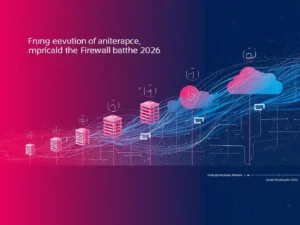
- First Generation (1990s)—Packet-Filtering Firewalls: These were the foundations. They looked at each packet one at a time, simply examining the source, destination, and port. They were fast, but “stateless,” so they couldn’t tell if a packet was part of a real or bad conversation.
- Second Generation: Stateful Firewalls: This was a huge step forward. Stateful firewalls keep track of the state of connections that are open. They keep a list of all the active sessions and only let traffic from connections that they know are real. This stops packets that are neither wanted nor fake from getting into the network.
- Third Generation—Application/Proxy Firewalls: These firewalls work at the Application Layer (Layer 7). They work as a middleman (a proxy) between the user and the server they want to reach, monitoring the actual content of the traffic to block things like HTTP or FTP requests.
- Modern Day (2026)—Next-Generation Firewalls (NGFWs) and Cloud Firewalls: Today’s firewalls are full-fledged security systems. An NGFW has all the features of a regular firewall, plus deep packet examination (DPI), intrusion prevention systems (IPS), and application-level awareness, no matter what port or protocol is utilized. With the rise of remote work and cloud computing, cloud firewalls (Firewall-as-a-Service—FWaaS) have also become critical, protecting assets that live outside the traditional office perimeter.
Different kinds of firewalls you should know about in 2026
The best firewall for you depends on what you require. Here is a list of the most prevalent types used today:
- Firewalls that filter packets
The oldest and most basic kind. They check packets at the network layer and perform well for basic routing, but they don’t protect against newer application-layer assaults very well. - Stateful inspection firewalls
These firewalls are safer than stateless filters since they make decisions depending on the state of the connection. The firewall knows to let back data when you ask for a webpage, but it would prevent an uninvited packet trying to get into your network. - Proxy Firewalls (Gateways at the Application Level)
These are the ones in the middle. The proxy connects to an external website on behalf of an internal user instead of letting them do so directly. This hides the user’s internal IP address and lets you look closely at the application data. - Firewalls for the Next Generation (NGFW)
This will become the norm for companies in 2026. NGFWs have all the advantages of stateful firewalls, but they also have deep packet inspection, intrusion prevention, and the ability to detect and control programs (for example, they can block social media apps regardless of what port they try to use). They are made to stop advanced viruses and attacks on the application layer. - Firewalls in the Cloud (FWaaS): Firewalls travel to the cloud, along with businesses. Cloud firewalls are meant to keep cloud apps and infrastructure safe. They automatically grow and make sure that security policies are the same in both hybrid and multi-cloud settings.
- Firewalls on the host
These are software firewalls that are put on each device, like a laptop or a server (for example, Windows Defender Firewall). They keep the device safe, whether it’s connected to a corporate network or a public Wi-Fi hotspot.
CIA Triad Explained: Confidentiality, Integrity, and Availability in Cybersecurity
What Is Ransomware? A Complete Beginner-to-Pro Guide 2026,
AI Cyberattacks on Small Business: The 2026 Survival Guide
How does cybersecurity actually work?
How Firewalls Work: Technical Mechanics (Simplified)
To comprehensively grasp “What is a Firewall?” in 2026, one must examine the underlying techniques employed.
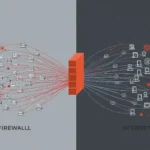
- Packet Filtering: The fundamental function. The firewall examines the header of each packet in accordance with a rule list.
- Stateful Inspection: The firewall maintains a “state table” of all active connections. It retains the memory of your recent webpage request and permits just the corresponding response to be returned.
- Deep Packet Inspection (DPI): This is where contemporary firewalls excel. DPI examines the entire data payload of the packet, rather than solely the header. It can identify malware, viruses, or policy infractions concealed inside ostensibly benign traffic.
- Intrusion Prevention System (IPS): Numerous firewalls now incorporate integrated IPS that proactively obstruct attacks by identifying signatures of recognized dangers or atypical behavior.
- Encrypted Traffic Examination: As most of the web traffic is now encrypted (HTTPS), assailants conceal themselves within it as well. Contemporary firewalls possess the capability to decrypt communication, analyze it for risks, and subsequently re-encrypt it prior to transmission.
Best Firewall Practices for 2026
It’s not enough to just have a firewall; you need to set it up right. These are the most
important best practices for 2026:
- Default Deny Rule: The most crucial rule. Set your firewall to block all traffic by default. Then, set “allow” rules by hand for only the traffic that your business needs. This is how the idea of least privilege works on your network.
- Regular Rule Audits: Firewall rules build up over time. Old rules that don’t agree with each other or are too lenient can leave security holes. Check your rule base every few months (for example, every three months) and clean house.
- Network Segmentation: You shouldn’t trust everything that’s inside your network. Make segments (like VLANs) with internal firewalls. For instance, keep your guest Wi-Fi separate from your company’s internal network and your IoT devices apart from your important data servers. This stops an attacker from traveling laterally to the rest of the network if they get into one portion of it.
- Accept Zero Trust: The old “castle and moat” method is no longer valid. “Never trust, always verify” will be the saying in 2026. Use firewalls to check every access request all the time, no matter where it comes from, to follow Zero Trust principles.
- Work with Other Security Tools: A firewall shouldn’t work alone. You can get a complete picture of your security posture by connecting its logs to a Security Information and Event Management (SIEM) system.
- Turn on logging and monitoring: Make sure that your firewall logs are turned on and being watched. This is how you can learn about break-in attempts in real time and investigate the events that occur afterwards.
The Firewall’s Restrictions:
While important, a firewall is not a panacea. It’s important to know what it can’t do:
- Insider Threats: A firewall keeps outside traffic out, but it doesn’t do much to stop an employee from leaking data on purpose or by accident.
- Social Engineering: Firewalls can’t protect someone from being duped into giving over their password or sending money to a scammer.
- Encrypted Threats (if not checked): If you don’t check encrypted traffic, threats can get past your firewall without you knowing it in HTTPS traffic.
- Misconfiguration: If you set up the best firewall in the world with loose, permissive rules, it won’t work.
A firewall works best when it is part of a layered security plan (defense in depth) that also includes protecting endpoints, training users, and backing up data.
Final Thoughts

A firewall is still the most important part of network security in 2026, but it has changed a lot since then. It is now a smart, flexible system that knows how to use applications, decode threats, and work well with cloud and zero-trust infrastructures.
Knowing “What is a firewall?” is the first step to developing a strong security posture, whether you are defending your home Wi-Fi or a multinational organization. You can safely navigate the digital world and keep your data safe from future dangers by choosing the correct form of firewall, whether it’s an NGFW, a cloud firewall, or a basic host-based solution, and following best practices.
🔐 Firewall FAQ 2026
Everything you need to know about firewalls — answered in plain English. Updated for 2026.
📅 Last Updated: February 2026
🛡️ Firewall Basics
❓
What is a firewall in simple terms?
+
A firewall is your digital security guard. It sits between your device (or network) and the internet, checking all incoming and outgoing traffic. Just like a guard checks IDs at a building entrance, a firewall examines data packets to decide what’s allowed in and what gets blocked.
💡 Simple Analogy:
Your firewall is the bouncer at a club. Good traffic (like loading a website you requested) gets in. Suspicious traffic (like someone trying to hack your device) gets turned away.
Key Point: Firewalls can be hardware (your router), software (Windows Defender), or cloud-based. They all do the same job — protect you from unwanted digital visitors.
❓
Do I really need a firewall in 2026?
+
Absolutely yes. In fact, firewalls are more important now than ever. With the rise of smart homes, remote work, and sophisticated cyberattacks, your digital attack surface has expanded dramatically.
30,000+
Websites hacked daily
2,200+
Cyberattacks per day
Who needs a firewall:
- 🏠 Home users: Every router has a basic firewall, but enable software firewalls too
- 💼 Remote workers: Essential for protecting corporate data on home networks
- 🏪 Small businesses: Critical — you’re actually a bigger target than you think
- 🎮 Gamers & streamers: Protects against DDoS attacks and unwanted connections
#CyberSecurity #NetworkProtection #2026Security
❓
What’s the difference between a firewall and an antivirus?
+
This is the #1 question people ask! Here’s the simple breakdown:
🛡️ Firewall = Door security
A firewall controls what enters and exits your network. It’s like a security guard checking IDs at the door — preventing unwanted visitors from even entering the building.
🦠 Antivirus = Inside security
Antivirus software scans files already on your device, looking for known malware signatures. It’s like having security cameras and guards inside the building to catch someone who sneaked in.
✅ You need BOTH. They work together. The firewall blocks what it can, and antivirus catches anything that slips through. Think of them as partners, not replacements.
Example: A firewall might block a hacker trying to connect to your computer. Antivirus would catch a virus you accidentally downloaded from an email attachment.
🔧 Types & Technology
🔧
What are the main types of firewalls available today?
+
In 2026, you’ll encounter these 6 main types:
- Packet-Filtering Firewalls: Basic inspection of packet headers (source, destination, port). Fast but limited.
- Stateful Inspection Firewalls: Track active connections and only allow traffic that belongs to legitimate conversations.
- Proxy Firewalls (Application Gateways): Act as intermediaries between users and the internet, masking internal IP addresses.
- Next-Generation Firewalls (NGFW): Combine traditional features with Deep Packet Inspection, Intrusion Prevention, and application awareness.
- Cloud Firewalls (FWaaS): Firewall-as-a-Service, protecting cloud infrastructure and remote workers.
- Host-Based Firewalls: Software on individual devices (like Windows Defender Firewall).
Most common in 2026: Businesses use NGFWs or cloud firewalls. Home users rely on router firewalls + host-based protection.
Quick Command to Check Windows Firewall: wf.msc
🔧
What is a Next-Generation Firewall (NGFW)?
+
A Next-Generation Firewall (NGFW) is a firewall that goes beyond simple port/protocol inspection. It’s like upgrading from a basic door guard to a full security team with cameras and AI.
NGFW combines:
- ✅ Traditional firewall capabilities (stateful inspection)
- ✅ Deep Packet Inspection (DPI) — looking inside the data
- ✅ Intrusion Prevention Systems (IPS)
- ✅ Application awareness and control
- ✅ Threat intelligence integration
- ✅ AI-powered behavioral analysis
📱 Real-world example: An NGFW can identify and block specific applications like TikTok or BitTorrent, even if they try to hide by using common ports like 80 (HTTP) or 443 (HTTPS).
2026 Trend: Modern NGFWs now include AI-powered threat detection that learns your network’s normal behavior and automatically blocks anomalies.
🔧
What’s a cloud firewall? Do I need one?
+
A cloud firewall (also called Firewall-as-a-Service or FWaaS) is a firewall that’s hosted in the cloud and protects your cloud infrastructure, remote workers, and distributed networks.
You need a cloud firewall if:
- ☁️ Your business uses AWS, Azure, or Google Cloud
- 🏠 You have remote employees connecting from various locations
- 🌍 Your infrastructure is spread across multiple regions
- 🏢 You want centralized security management without hardware
For home users: Cloud firewalls are overkill. Your router’s firewall plus Windows/macOS built-in firewall is sufficient.
Popular cloud firewalls 2026: AWS WAF, Cloudflare, Zscaler, Palo Alto Prisma
⚙️ Setup & Configuration
⚙️
How do I check if my firewall is working?
+
Here are three easy ways to check your firewall:
1️⃣ Windows:
Go to Control Panel > System and Security > Windows Defender Firewall. You’ll see if it’s on and which networks are protected (Domain, Private, Public).
2️⃣ macOS:
Go to System Settings > Network > Firewall.
3️⃣ Online Tests:
Use free services like:
- 🔗 ShieldsUP (grc.com) — tests if your ports are visible
- 🔗 Qualys Browser Check
- 🔗 Port scan tools
📌 Quick test: Try pinging your own IP from another device. If the ping fails, your firewall is likely blocking it — which is GOOD!
Command to check open ports (Windows): netstat -an | find “LISTENING”
Command (Mac/Linux): sudo lsof -i -P | grep LISTEN
⚙️
Should I turn off my firewall for gaming or apps?
+
⚠️ NEVER turn off your firewall completely. This leaves your device exposed to attacks — sometimes in seconds. The average unprotected computer gets hacked within 20 minutes of going online.
✅ Instead, do this:
- Create an allow rule for the specific game or application
- Open only the necessary ports (check the game’s documentation)
- Use “private” and “public” network profiles correctly
- Consider UPnP only as last resort (has security risks)
For gamers: Most modern games work fine with default firewall settings. Only competitive multiplayer or older games might need manual configuration.
Common game ports:
– Steam: 27015-27030
– Xbox Live: 3074
– PlayStation Network: 3478-3480
– Minecraft: 25565
⚙️
What’s the “default deny” rule and why is it important?
+
The default deny rule is the foundation of firewall security. It means: “Block everything by default, then explicitly allow only what’s necessary.”
Think of it like this:
- ❌ Bad approach (default allow): Let everyone in, then try to kick out the bad guys. You’ll miss some.
- ✅ Good approach (default deny): Let no one in, then open the door only for people you specifically invite.
Example rule set:
# Default Policy
deny all incoming traffic
deny all outgoing traffic
# Allow rules
allow outgoing HTTP/HTTPS (port 80,443)
allow outgoing DNS (port 53)
allow incoming established connections
Most modern firewalls use default deny for incoming traffic. Advanced users can set outgoing default deny for maximum security (though this requires more configuration).
🔐 Security Best Practices
🔐
Can a firewall stop hackers completely?
+
No single tool can stop all hackers. A firewall is essential but has limitations. Think of it as a strong front door — necessary, but not sufficient by itself.
93%
of breaches involve hacking
74%
involve human error
✅ What firewalls DO stop:
- Unauthorized port scans
- Brute force attacks
- Many remote exploits
- Unwanted incoming connections
- Botnet communications
❌ What firewalls CAN’T stop:
- Phishing emails (if user clicks)
- Insider threats
- Attacks over allowed ports (e.g., HTTPS)
- Social engineering
- Physical access attacks
- Zero-day exploits (without IPS/IDS)
🛡️ Defense in Depth: Use firewall + antivirus + regular updates + strong passwords + 2FA + user education.
🔐
What is network segmentation and do I need it?
+
Network segmentation means dividing your network into smaller, isolated parts. It’s like having separate rooms in a house instead of one giant open space.
🏠 Common segments for home:
- Main network: Your computers and phones
- Guest Wi-Fi: Isolated from your devices
- IoT network: Smart lights, thermostats, cameras (these are often insecure)
- Work network: For remote work devices
Why it matters: If a hacker compromises your smart fridge (IoT), segmentation prevents them from accessing your laptop with financial data or personal photos.
🔧 How to segment:
- Use VLANs (if your router supports it)
- Use separate physical routers
- Enable guest networks on your Wi-Fi
Do you need it? For basic home use (5-10 devices), it’s nice but not mandatory. For smart homes (20+ devices) or businesses, absolutely yes.
🔐
How often should I update my firewall rules?
+
For home users: Your firewall updates automatically with your operating system. You don’t need to manually update rules unless you:
- Add new devices to your network
- Install new applications that need internet access
- Set up port forwarding for gaming or servers
For businesses: Follow this schedule:
Quarterly
Full rule audit
Monthly
Log review
Ongoing
Alert monitoring
- Quarterly: Full rule audit — remove old/unused rules
- Monthly: Review logs for unusual activity
- When changes happen: New employees, new services, new locations
- After incidents: Immediately review and tighten rules
📌 Pro Tip: Document why each rule exists. Six months from now, you won’t remember why you opened port 8080. Use comments in your firewall config!
🚀 2026-Specific Questions
🚀
How has remote work changed firewall needs?
+
Remote work has fundamentally changed firewall strategies. The old model assumed everyone was in the office. Now, the perimeter is everywhere.
Old approach (castle-and-moat): Strong firewall at office perimeter, weak protection elsewhere. Once inside the network, you were trusted.
2026 approach (Zero Trust):
- Cloud firewalls protect users everywhere, not just at the office
- Host-based firewalls on every device are mandatory
- VPNs with firewall rules create secure tunnels
- Micro-segmentation even in home offices
- ZTNA (Zero Trust Network Access) replacing traditional VPNs
- Identity-based rules instead of IP-based rules
📊 Stat: 73% of organizations now use cloud firewalls for remote workers, up from 34% in 2020.
The perimeter is now the USER, not the office. Firewalls had to adapt.
🚀
What’s the role of AI in modern firewalls?
+
AI has become integral to firewall technology in 2026. Think of AI as a tireless security analyst monitoring your network 24/7.
🧠 How AI helps:
- Behavioral analysis: AI learns normal traffic patterns and flags anomalies (like a device suddenly sending data to Russia at 3 AM)
- Automated rule creation: Suggests rules based on traffic patterns
- Zero-day threat detection: Identifies never-before-seen attacks by behavior, not signatures
- Automated response: Can block suspicious traffic without human intervention
- Reducing false positives: Gets smarter over time about what’s actually threatening
Example: If AI sees a device trying to encrypt files and contact an unknown server (ransomware behavior), it can automatically isolate that device.
Limitations: AI isn’t perfect. It needs training data, can be fooled, and sometimes flags legitimate traffic. Human oversight still needed.
🔧 Troubleshooting
🔧
My firewall is blocking something I need. What do I do?
+
Follow these steps in order (safest first):
- Check if it’s really the firewall: Temporarily disable it for 30 seconds to test. Re-enable immediately. If the app works, it’s the firewall.
- Look for a notification: Most firewalls pop up when blocking something. Choose “Allow” if you trust it.
- Add an exception: Go to firewall settings and add the specific program to the allowed list.
- Open specific ports: Only if the application documentation says you must. Open only the minimum needed.
- Create inbound/outbound rules: For advanced users, manually create rules with specific IPs if possible.
⚠️ Warning: Only allow what you trust. If you’re unsure, research the program first. When in doubt, block it out.
Quick Windows fix: Control Panel > Windows Defender Firewall > Allow an app or feature through Windows Defender Firewall
Quick Mac fix: System Settings > Network > Firewall > Options
🔧
Why does my firewall show so many blocked attempts?
+
Don’t panic! This is completely normal and actually a good sign — your firewall is doing its job.
Those blocked attempts are usually:
- 🌐 Background noise: Automated bots scanning the internet for vulnerabilities (happens constantly)
- 📱 Legitimate services: Apps checking for updates or connections
- ⚙️ Misconfigured devices: Something on your network trying to connect incorrectly
- 🔍 Port scans: Often harmless, sometimes reconnaissance
- 📨 Spam/botnet traffic: Infected devices elsewhere trying to spread
100-1,000+
Blocked attempts daily (typical)
5-10 min
Time to first scan after going online
On an always-on internet connection, you might see hundreds of blocked attempts daily. Unless you see a massive spike or actual intrusion signs, it’s just the reality of being online.
When to worry: Sudden 1000% increase in blocks, successful intrusion alerts, unknown outbound connections.

2 thoughts on “What is a Firewall? A Beginner’s Guide to Network Security in 2026”