
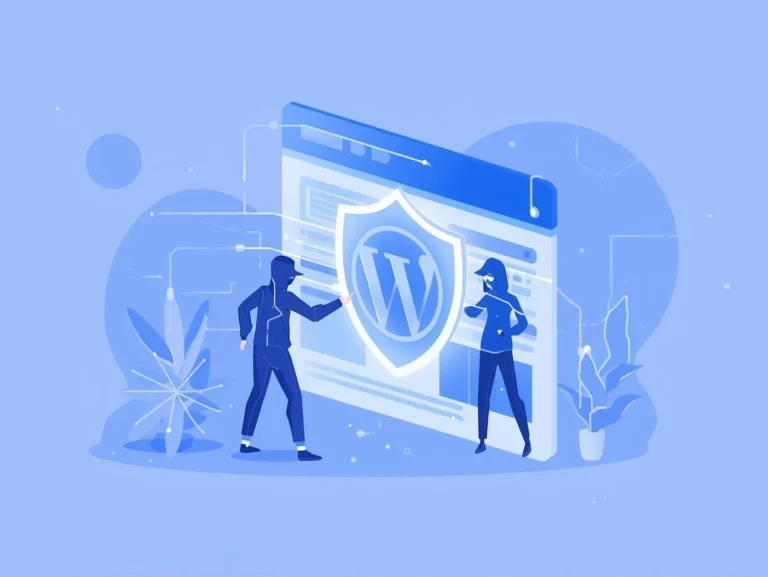
How to Secure a WordPress Website from Hackers?
Website Security in 2026More than forty percent of all websites are powered by WordPress, making it the most widely used content management system in the world. Because of their widespread use, websites that are powered by WordPress are an easy target for cybercriminals.
There is a common misunderstanding that WordPress itself lacks security, but this is not the case.
👉 The majority of WordPress hacks occur owing to insufficient safety procedures, rather than being caused by the core aspects of WordPress.
This article will teach you how to protect a WordPress website from cybercriminals by utilizing beginner-friendly methods as well as complex business-level security techniques. All of these steps will be taught in a way that is both clear and safe for search engine optimization and AdSense clearance.
The Reasons Why WordPress Websites Are Hacked
Common Reasons WordPress Sites Are Hacked
- Weak or reused passwords
- Outdated plugins and themes
- Using nulled (pirated) themes or plugins
- Cheap or insecure hosting
- No firewall or malware protection
- Unprotected login pages
Hackers don’t randomly target websites; instead, they take advantage of known vulnerabilities.
Why Cybersecurity Is Critical for Businesses of All Sizes
AI Cyberattacks on Small Business: The 2026 Survival Guide
What Is Ransomware? A Complete Beginner-to-Pro Guide 2026,
CIA Triad Explained: Confidentiality, Integrity, and Availability in Cybersecurity
What is a Firewall? A Beginner’s Guide to Network Security in 2026
Basic WordPress Security Foundations (Must-Have)
These steps are essential for every WordPress website, regardless of size.
1. Use Strong Login Security
Why Login Security Matters
There is an ongoing attempt made by brute-force attacks to guess the login credentials with WordPress.
Best Practices
- Use strong, unique passwords.
- Never use “admin” as a username.
- Enable Two-Factor Authentication (2FA).
- Limit login attempts.
Recommended Tools
- Wordfence
- WP Cerber
- iThemes Security
2. Keep WordPress, Themes, and Plugins Updated
Why Updates Are Critical
Regular updates address previously identified security flaws. Plugins that are no longer supported are the most common reason for WordPress hacks.
Best Practices
- Enable automatic updates.
- Remove unused themes and plugins
- Download plugins only from trusted developers.
3. Enable SSL (HTTPS)
Why SSL Is Important
SSL encrypts data between users and your website.
Benefits:
- Protects login credentials
- Improves SEO rankings
- Builds user trust
- Required for Google AdSense
Most hosting providers offer free SSL certificates.
Beginner vs. Business WordPress Security Checklist
✅ Beginner WordPress Security Checklist
For personal blogs and small websites:
- Strong passwords
- One security plugin installed
- SSL enabled
- Weekly backups
- Updated WordPress & plugins
- Avoid cracked themes/plugins.
👉 This setup prevents up to 90% of common attacks.
For more details please visit here:
CISA (Cybersecurity & Infrastructure Security Agency): When mentioning the “3-2-1 Backup Rule,” link to the official CISA page explaining backup strategies.
NIST (National Institute of Standards and Technology): When mentioning “Zero Trust,” link to the NIST SP 800-207 publication (the standard document).
✅ Business/Professional WordPress Security Checklist
For business, eCommerce, and AdSense websites:
- Managed WordPress hosting
- Web Application Firewall (WAF)
- Malware scanning & monitoring
- Two-Factor Authentication
- Daily automated backups (offsite)
- Role-based user permissions
- Regular security audits
- Uptime and intrusion monitoring
👉 This level protects data, revenue, and reputation.
Best Free WordPress Security Plugins
Free plugins are sufficient for most beginners and bloggers.
🔹 Wordfence Security (Free)
Best for: Beginners and bloggers
Advantages:
- Firewall protection
- Malware scanning
- Login security
- IP blocking
- Security alerts
🔹 All In One WP Security
Best for: Non-technical users
Advantages:
- Easy dashboard
- File permission checks
- Database security
- Login protection
- Lightweight and fast
🔹 WP Cerber Security
Best for: Brute-force attack protection
Advantages:
- Limits login attempts
- Blocks spam bots
- Country-based access control
- Low performance impact
Best Premium WordPress Security Plugins
Premium solutions are recommended for business and AdSense-earning websites.
🔹 Sucuri Security (Premium)
Best for: Business websites
Advantages:
- Cloud-based firewall
- DDoS protection
- Malware cleanup
- Google blacklist monitoring
- CDN for performance improvement
🔹 Wordfence Premium
Best for: Advanced threat detection
Advantages:
- Real-time firewall rules
- Country blocking
- Real-time malware signatures
- Premium support
🔹 MalCare Security
Best for: Fast malware removal
Advantages:
- One-click malware cleanup
- Cloud-based scanning
- No server load
- Ideal for hacked websites
Free vs. Premium WordPress Security (Comparison)
| Feature | Free Plugins | Premium Plugins |
| Firewall | Basic | Advanced (Cloud WAF) |
| Malware Removal | Limited | Full cleanup |
| DDoS Protection | ❌ | ✅ |
| Real-Time Protection | ❌ | ✅ |
| Support | Community | Priority |
👉 Free is enough for blogs.
👉 Premium is best for business and AdSense sites.
Recommended Plugin Setup (Safe & Lightweight)
🔰 For Beginners
- Wordfence (Free)
- UpdraftPlus (Backup)
🏢 For Business Websites
- Sucuri Firewall
- Wordfence or MalCare
- UpdraftPlus or BlogVault
⚠️ Never install multiple firewall plugins together.
Regular Backups: Your Safety Net
Why Backups Are Critical
If your website is hacked, backups allow instant recovery.
Best Backup Plugins
- UpdraftPlus
- BlogVault
- BackupBuddy
Best Practice:
Store backups offsite (Google Drive, Dropbox).
Advanced WordPress Security Tips (For Professionals)
- Disable XML-RPC if unused.
- Set correct file permissions.
- Use security headers.
- Monitor server logs.
- Apply least-privilege access.
- Secure wp-admin with IP restrictions.
Common Signs Your WordPress Website Is Hacked
⚠️ Warning signs include:
- Sudden traffic drop
- Spam redirects
- Unknown admin users
- Google security warnings
- Slow website performance
Immediate action is critical.
Why WordPress Security Matters for AdSense Approval
Google AdSense prioritizes:
- Secure browsing
- HTTPS websites
- Malware-free content
- User safety
A hacked site can result in:
- AdSense rejection
- Google blacklisting
- SEO penalties
- Revenue loss
👉 Security directly impacts trust, rankings, and earnings.
Frequently Asked Questions
Final Thoughts
It is not a choice to secure a WordPress website; rather, it is an absolute necessity.
Whether you run:
- A personal blog
- A business website
- An eCommerce store
Maintaining commitment to these WordPress security best practices can assist you in preventing attacks, safeguarding users, and growing in a secure manner.
Credibility, search engine optimization (SEO) power, and long-term success are all benefits that come with having a secure website.
4 thoughts on “How to Secure a WordPress Website from Hackers?: Complete Beginner to Business Guide 2026”