
Each instance you access your email, sign into your banking account, or connect to public Wi-Fi at a café, you depend on an unseen layer of security operating behind the scenes. That stratum pertains to cybersecurity — and knowing it has never been more crucial.
In 2025, data breaches revealed billions of records globally, while ransomware incidents caused costs of hundreds of billions of dollars for enterprises. This primer discusses the essentials of cybersecurity in simple terms, catering to curious novices, small business proprietors, and anyone considering a transition into the computer sector – devoid of technical jargon and prerequisites.
What Is Cybersecurity?
Every time you log into online banking, check social media, or send an email, you rely on a complex network of defense mechanisms. Cybersecurity is the practice of protecting systems, networks, devices, and data from digital attacks, unauthorized access, or damage.
As digital systems continue to power every part of personal and professional life, understanding the basics of security is essential for everyone—not just IT professionals.
Cybersecurity involves safeguarding computers, servers, networks, mobile devices, and information from unauthorized access, theft, harm, or interference. Consider it as a sort of digital self-protection: a combination of technology, procedures, and individuals collaborating to safeguard information.
At its core, cybersecurity exists to protect three things, often called the CIA Triad:
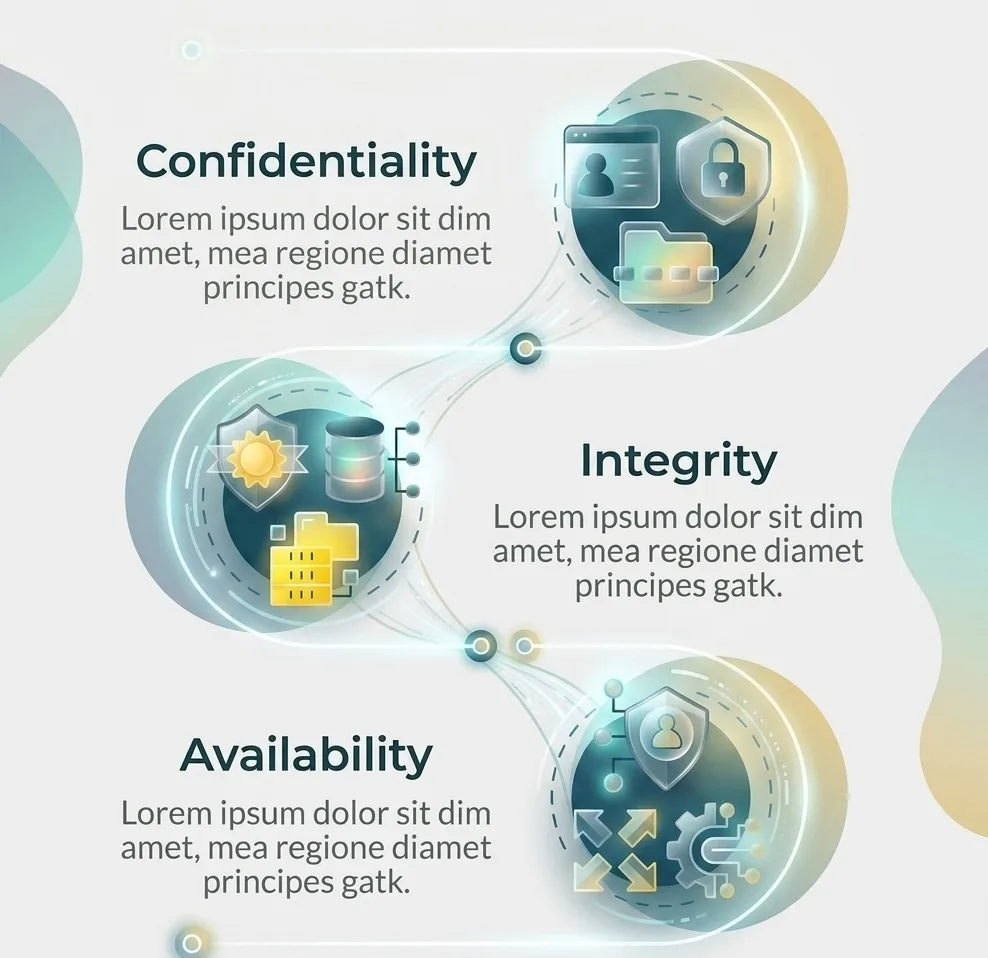
- Confidentiality — Making sure only authorized people can access sensitive information (e.g., encrypting your medical records so only your doctor can view them).
- Integrity — Ensuring data isn’t altered or tampered with (e.g., verifying a bank transfer wasn’t secretly changed mid-transaction).
- Availability — Keeping systems and data accessible when needed (e.g., making sure a hospital’s patient database doesn’t go down during an emergency).
Every cybersecurity tool, policy, or best practice ultimately serves one or more of these three goals.
Why Does Cybersecurity Matter?
It’s easy to assume cyberattacks only happen to big corporations, but the reality is different:
- Individuals lose money and identity through phishing scams, stolen passwords, and fraudulent charges.
- Small businesses are frequent targets precisely because they often have weaker defenses than large enterprises.
- Governments and critical infrastructure (power grids, hospitals, water systems) face nation-state-level threats that can disrupt entire regions.
- Everyday devices — smart TVs, baby monitors, fitness trackers — are increasingly connected to the internet and can be exploited if left unsecured.
In short: if a device connects to the internet, it’s a potential target. Cybersecurity isn’t just an IT department’s job anymore — it’s everyone’s responsibility.
Also Read:
- Linux File Permissions Guide: Master Access Control in 2026 (Complete Guide)
- Introduction to Linux File Permissions and Access Control
- What is cybersecurity?
The Main Types of Cybersecurity
Cybersecurity isn’t one single discipline — it’s an umbrella term covering several specialized areas:
- Network Security — Protects the infrastructure that connects devices (firewalls, VPNs, intrusion detection systems).
- Application Security — Focuses on finding and fixing vulnerabilities in software and apps before attackers exploit them.
- Information (Data) Security — Protects data itself, whether it’s stored, in transit, or being processed, often through encryption.
- Cloud Security — Secures data and applications hosted on cloud platforms like AWS, Azure, and Google Cloud.
- Endpoint Security — Protects individual devices (laptops, phones, tablets) that connect to a network.
- Identity and Access Management (IAM) — Controls who can access what, using tools like multi-factor authentication (MFA) and single sign-on (SSO).
- Operational Security (OpSec) — Governs how organizations handle and protect data assets through policies and permissions.
Each area requires different tools and skills, which is why cybersecurity careers are so varied — from penetration testers to compliance analysts to security architects.
Common Types of Cyber Threats
Understanding cybersecurity also means understanding what it’s defending against. Here are the threats beginners encounter most often:
- Phishing — Fraudulent emails or messages designed to trick you into revealing passwords or clicking malicious links.
- Malware — Malicious software including viruses, worms, and spyware that damages or spies on systems.
- Ransomware — Malware that encrypts your files and demands payment for their release.
- Man-in-the-Middle (MitM) Attacks — When an attacker secretly intercepts communication between two parties, often over unsecured public Wi-Fi.
- Denial-of-Service (DoS) Attacks — Flooding a system with traffic to make it crash or become unavailable.
- SQL Injection — Exploiting vulnerabilities in a website’s database query system to steal or manipulate data.
- Social Engineering — Manipulating people (rather than systems) into giving up confidential information.
Most large-scale breaches start with a simple human mistake — a weak password, an unpatched system, or a clicked link — rather than a sophisticated hacking technique. This is why basic cyber hygiene matters just as much as advanced technical defenses.
Basic Cybersecurity Practices Everyone Should Know
You don’t need to be an expert to protect yourself. Start with these fundamentals:
- Use strong, unique passwords for every account, ideally managed with a password manager.
- Enable multi-factor authentication (MFA) wherever it’s offered.
- Keep software updated — patches often fix known security vulnerabilities.
- Be skeptical of unsolicited emails or links, even if they appear to come from someone you know.
- Back up important data regularly, following the 3-2-1 rule (3 copies, 2 different media, 1 offsite).
- Avoid public Wi-Fi for sensitive tasks, or use a trusted VPN if you must.
- Review app permissions on your phone and revoke access you no longer need.
How to Start a Career in Cybersecurity
Cybersecurity is one of the fastest-growing tech fields, with a global shortage of skilled professionals. If you’re considering it as a career path, here’s a beginner-friendly roadmap:
- Build IT fundamentals — Learn how networks, operating systems, and basic programming work before specializing.
- Learn the core concepts — Study topics like the CIA Triad, common attack types, and basic cryptography.
- Get hands-on practice — Set up a home lab using virtual machines (like VMware or VirtualBox) and try beginner-friendly platforms such as TryHackMe or Hack The Box.
- Pursue entry-level certifications — CompTIA Security+, Google Cybersecurity Certificate, and Cisco’s CCNA are popular starting points.
- Specialize over time — As you gain experience, you can move toward penetration testing, security operations (SOC analyst), cloud security, or governance/compliance roles.
- Stay current — Cybersecurity evolves constantly; following blogs, podcasts, and communities is part of the job, not optional extra work.
Final Thoughts
Cybersecurity may initially appear difficult, although fundamentally, it revolves around safeguarding what is essential – your information, your confidentiality, and the infrastructure upon which society relies. Regardless of whether you are protecting your personal accounts or considering a profession in this field, understanding the fundamentals provided in this tutorial is the initial move toward achieving cyber-awareness.
The dangers will continue to develop, but so will the assets and understanding for preventing them. Commence quietly, maintain curiosity, and persist in gaining knowledge – this constitutes the true bedrock of cybersecurity.
1 thought on “What Is Cybersecurity? A Complete Beginner’s Guide (2026)”